
See where every unit is now
Vehicles are grouped by the current recon stage so the pipeline can be scanned quickly.
Recono turns the recon pipeline into a visual board. Move vehicles through the stages your rooftop actually uses, see how long each unit has been in recon, and keep the current status visible to the teams that need it.
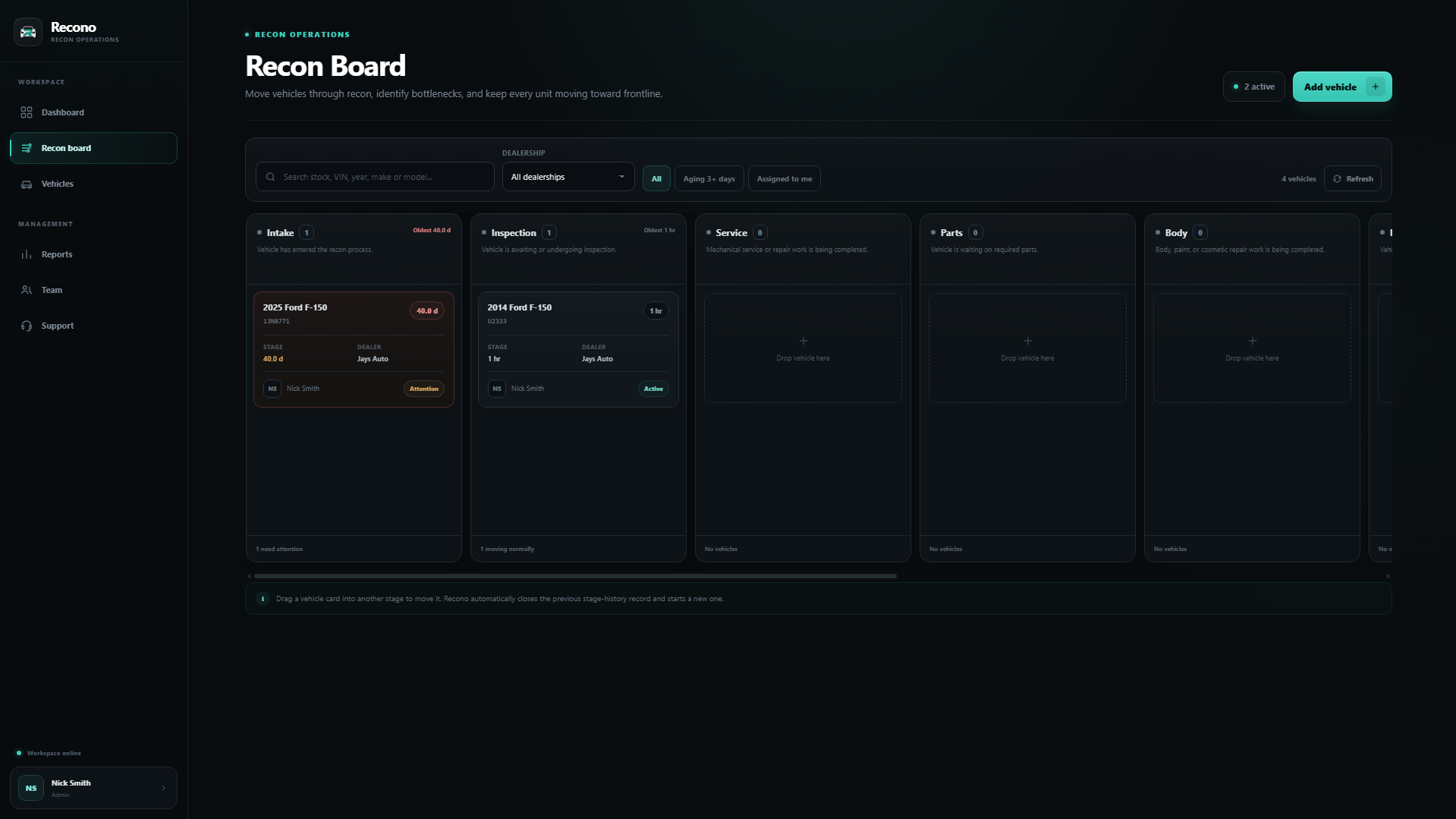
A dealership recon board is a visual workflow that organizes used vehicles by their current reconditioning stage. It helps managers and teams see where each vehicle is, which units are aging, who is responsible, and what needs to happen before the vehicle becomes frontline ready.
The board is designed to make current status visible without requiring a manager to reconcile texts, notes, spreadsheets, and conversations.
Vehicles are grouped by the current recon stage so the pipeline can be scanned quickly.
Recon age and stage time make it easier to identify the units that need attention first.
Stage changes create history that can later be used to analyze the process instead of relying on memory.
| Information | Operational reason |
|---|---|
| Stock number / VIN | Identify the exact unit without ambiguity. |
| Year, make, model | Give users quick visual context. |
| Current stage | Show where the unit is in the workflow. |
| Days in recon | Expose total aging. |
| Time in current stage | Expose local bottlenecks and waiting time. |
| Assignment / ownership | Clarify who needs to move the vehicle next. |
| Notes or context | Keep useful vehicle-specific information attached to the unit. |
Recono is most useful when the columns represent meaningful operational handoffs. The goal is a shared source of truth that is simple enough for the team to keep current.
Concise answers to common dealership reconditioning questions related to this topic.
Yes. Vehicles can be moved through the recon workflow with drag-and-drop stage movement.
Recono is designed around the rooftop's stage-based workflow so the board can represent the steps used by that dealership.
Yes. Vehicle movement is recorded so time in stage and recon performance can be measured rather than reconstructed later.
Authorized users can work from the same shared vehicle status, helping sales, service, parts, detail, and management stay aligned.
Recono is designed to make recon age visible so managers can focus on vehicles that have been sitting too long.
No. Recono can be used by adding vehicles directly, allowing a rooftop to test the workflow without waiting for a DMS integration project.
Start with a few live vehicles and give your rooftop a shared view of the reconditioning process.